Exploring Python Repetition: From Loops to Breaks

looping statements
Looping statements help execute a block of code until a specific condition is met or for a fixed number of times.

there are two type of loop in python
for loop
while loop
1. For loop
A for loop in Python is used to iterate over a sequence such as a list, tuple, string, or a range.
Python for loop syntax
for variable in sequence:
    # code block to execute
How for loop works
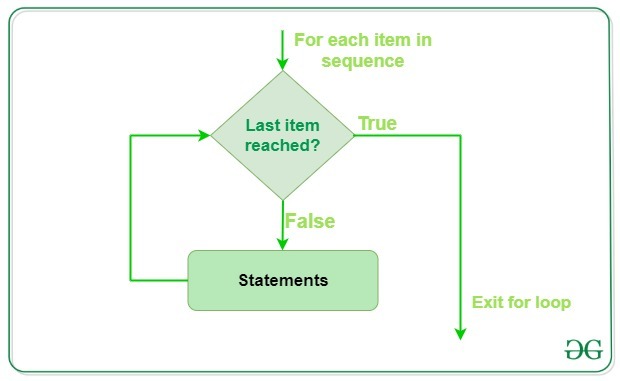
example: print all elements of list.

example: lets understand for loops using examples: print the numbers present in list [ 1, 2, 3, 4, 5].

How code works ?
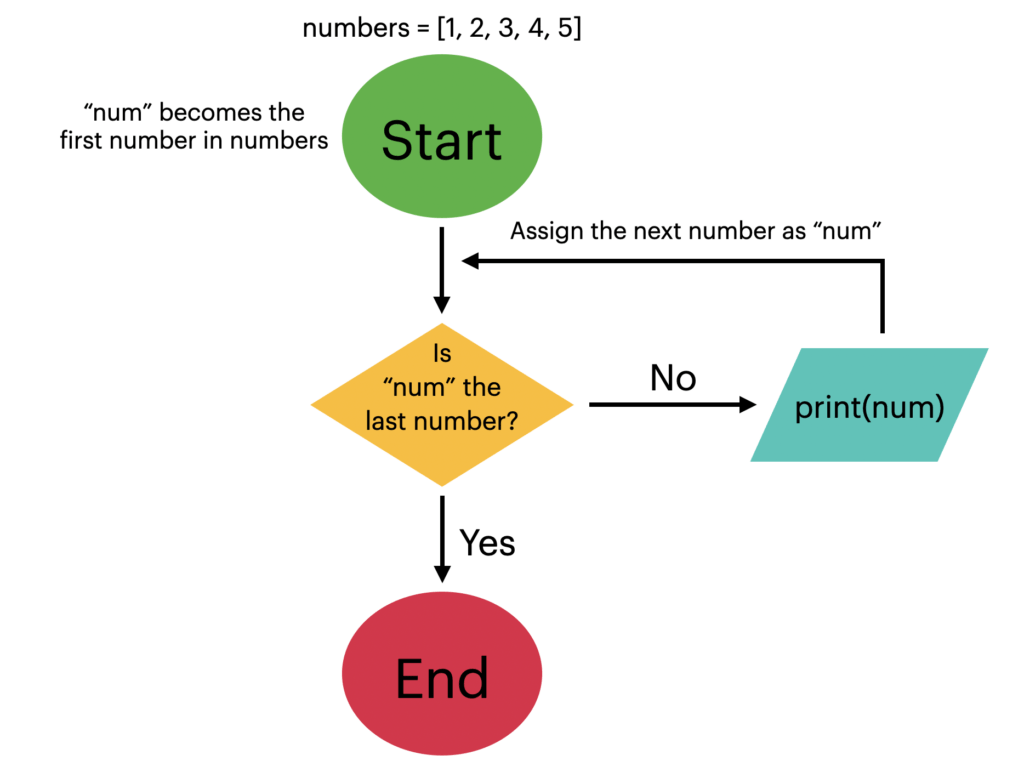
step-1 : start.
step-2 : num = first number.
step-3 : check num is last number if true go to step-4 otherwise go to step-6.
step-4 : print the number and num = next number.
step-5 : again go to step-3.
step-6 : execution completed.
🔴Question: take a number and print factorial of that number using for loops
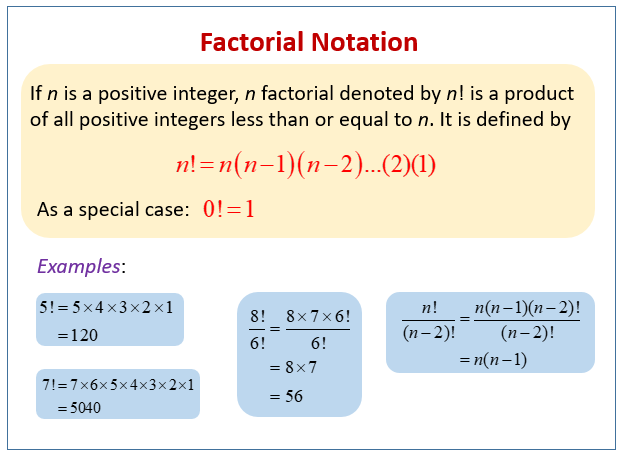


step- 1: start.
step- 2: take input.
step- 3: check condition if the given number is not +ve integer go to step-10 otherwise go to step-4.
step- 4: convert number string to integer and take a new variable factorial = 1.
step- 5: initialize the loop with i =1 (we are in loop body where range is (1 → num+1) .
step- 6: check the value of i is in range or not if no go to step- 7.
step- 7: factorial = factorial * i ( i=1 se start hogo or har multipliction ka result factorial me save hoga to jb jb i ka value bdhega tb wo pehle wale factorial ke sath multiply hokr i ke value ka factorial, factorial me store kr lega).
step- 8: update the value of i by i+1 and go to step- 6.
step- 9: print the final value of factorial and go to step-11.
step- 10: print please enter valid input.
step- 11: end( execution completed ).
( Note- hmlogo ko bs range btana hai or loop ke andr operation likhna hai i ko increment or check ki i 1→ n+1 ke bich hai ya nii wo internally khud krta hai so do not think so much. )
2. while loop
Python While Loop is used to execute a block of statements repeatedly until a given condition is satisfied. When the condition becomes false, the line immediately after the loop in the program is executed.
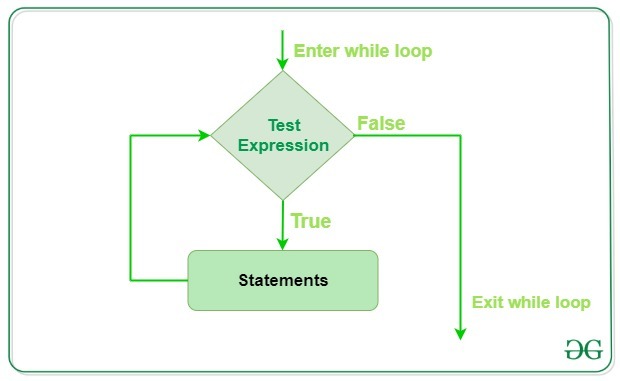
🔴Print hello python 5 times.


step-1 : start.
step -2 : initialize one variable count =0.
step-3 : check count < 5 if yes go to step-4 otherwise go to step-6.
step-4 : print “Hello python” and add 1 to count variable.
step-5 : go to step 3.
step-6 : execution completed.
🔴Question: take a number and print factorial of that number using for loops
control transfer statements
yes we can also solve this question using while loop.

( Note- for or loop ka flow chart same nii hai or for loop me i ka incremeant or check i range or any iterating variable ke andr hai ya nii ye internally hota hai but while loop me sab ham manually krte hai )

step- 1: start.
step- 2: take input.
step- 3: check condition if the given number is not +ve integer go to step-10 otherwise go to step-4.
step- 4: convert number string to integer and take a new variable factorial = 1.
step- 5: initialize the loop with i =1 .
step- 6: check i< n+1 or not if no go to step- 7.
step- 7: factorial = factorial * i ( i=1 se start hogo or har multipliction ka result factorial me save hoga to jb jb i ka value bdhega tb wo pehle wale factorial ke sath multiply hokr i ke value ka factorial, factorial me store kr lega).
step- 8: update the value of i by i+1 and go to step- 6.
step- 9: print the final value of factorial and go to step-11.
step- 10: print please enter valid input.
step- 11: end( execution completed ).
🔴when we use while and when we use for loop❓
✅ Use **for loop** when:
You know in advance how many times to iterate.
You are iterating over a sequence (like a list, string, range, etc.).
Example:
pythonCopyEditfor i in range(5):  # Known number of repetitions
    print(i)
✅ Use **while loop** when:
You don’t know in advance how many times to iterate.
You want to repeat until a condition becomes false.
Example:
pythonCopyEditcount = 0
while count < 5:  # Runs as long as condition is true
    print(count)
    count += 1
Summary:
| Condition | Use for | Use while |
Fixed repetitions | ✅ | ❌ |
Loop until condition | ❌ | ✅ |
Iterating sequences | ✅ | ❌ (not typical) |
Control transfer statements
Control transfer means giving or shifting control from one part of the code to another. In Python, control transfer statements are used when we want to stop a loop, skip some part of code, or just leave an empty space (do nothing) during certain conditions. These statements help manage the flow of a program based on logic.
🔹 Quick Overview:
break→ Stop the loop completely when certain condition met.continue→ Skip one round in the loop and move to the next when certain condition met.pass→ Do nothing, just a placeholder so that in future if i want to update something we can update it here.break:
It terminates the loop (for or while) immediately and transfers control to the statement following the loop.
ex : given a list [1, 2, 3, 4, 5, 6] print given list elements from index 0 to 3.


continue statements
It alters the normal execution flow by skipping the remaining statements in the current iteration of the loop and immediately proceeding to the next iteration.


pass statement
Pass statement in Python is a null operation or a placeholder. It is used when a statement is syntactically required but we don’t want to execute any code. It does nothing but allows us to maintain the structure of our program.
x = 10

if x > 5:
    pass  # Placeholder for future logic
else:
    print("x is 5 or less")

