Understanding Python Control Flow: Visual Guide to If-Else and Loops

Python control flow
Control flow in Python determines which lines or blocks of code are executed or skipped.
By default, Python runs code line by line from top to bottom, but using control flow, we can:
🔹 Make Decisions
Using statements like if, elif, and else, we can check a condition:
If the condition is
True, theifblock runs.If it’s
False, Python moves to the next condition or theelseblock.
🔁 Repeat Tasks
Loops in Python (for and while) allow us to repeat a block of code multiple times, based on a specific condition.
⏭️ Skip or End Code Blocks
Python provides control transfer statements like break, continue, and pass, which let us:
Skip the current loop iteration (
continue)Exit a loop early (
break)Do nothing in a block (
pass) — often used as a placeholder
These can also be used insideif-elsestatements for better control.
Now you understand what control flow in Python is. In this article, we dive deep into conditional statements or discuss their syntax. we will focus on understanding what conditional statements does and how it works using flowcharts and visual explanations.
Conditional statements
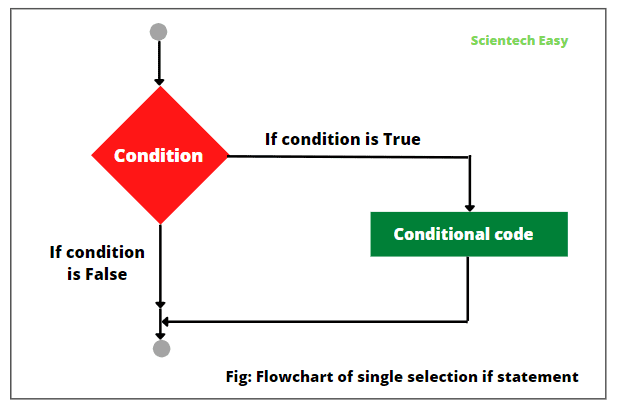
Conditional statements help us execute a block of code if a specific condition is true otherwise, the program moves to the next line.
If statement
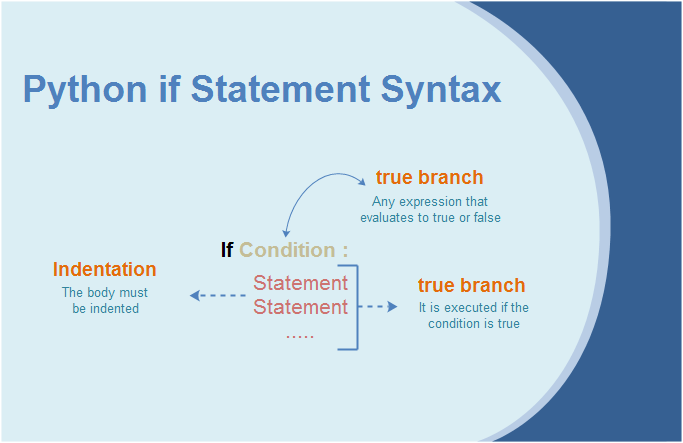
if statement is simplest form of a conditional statement. It executes a block of code if the given condition is true.
you can understand it using diagram given below.
syntax of if statement :
If-else statement
If the if or elif block is not executed, then the else block will be executed. The else block provides a way to handle all other cases that do not meet the conditions of the previous blocks.
syntax of if else statements.

🔹lets take a example to understand it properly: given a number print the numbers is even or odd.

how code is working you can understand using below image.

step-1 : start
step-2 : take input (assume the number is 82).
step-3 : we check 82 % 2 == 0 ( 82%2==0 means the reminder of 82/2 is 0) if the statement is true go to step-4 otherwise go to step-5. in this case condition is true step-4 is executes.
step-4 : print 82 is even and go to step-6.
step-5 : print 82 is odd.
step-6 : execution is completed.
elif statements
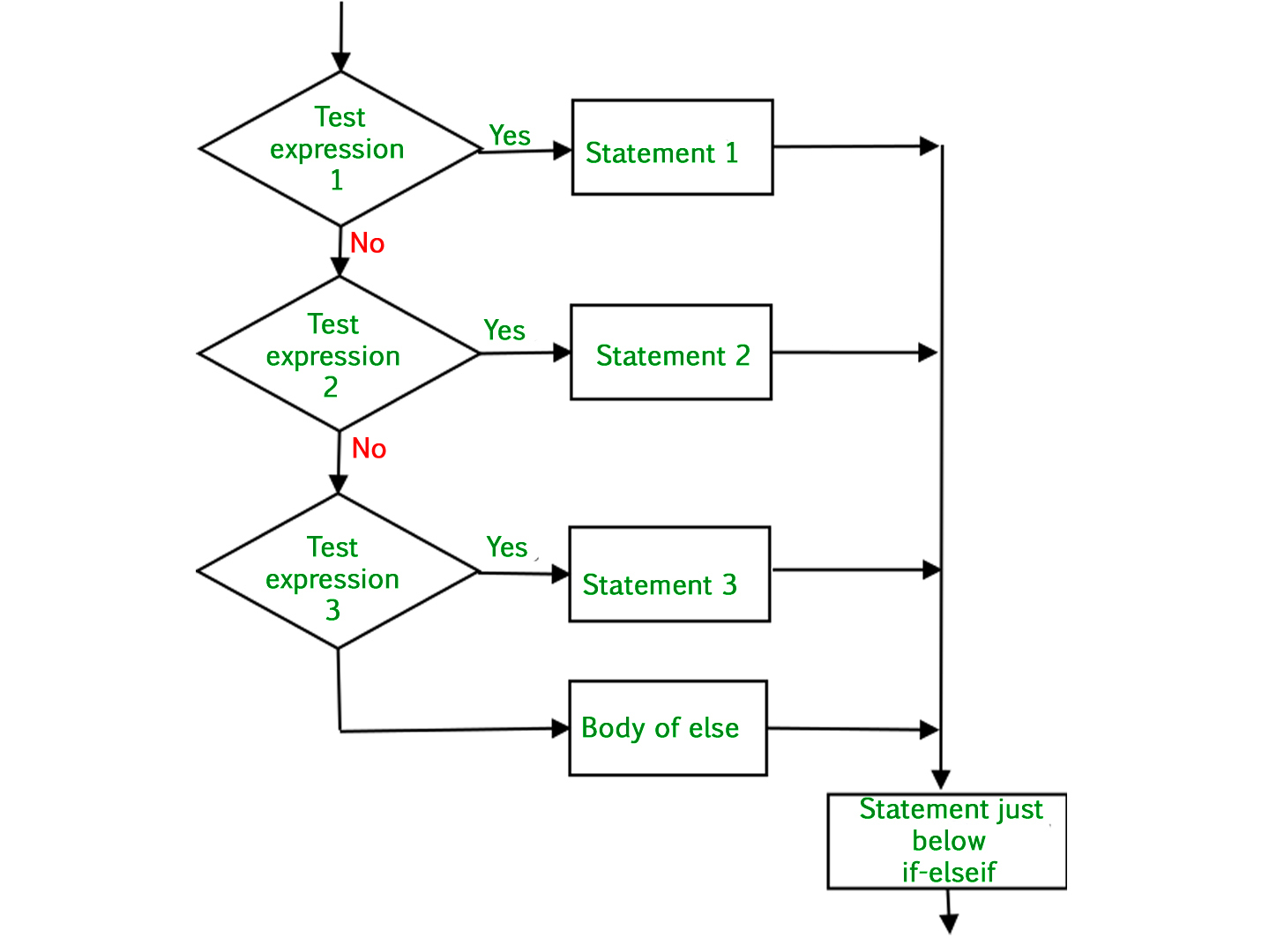
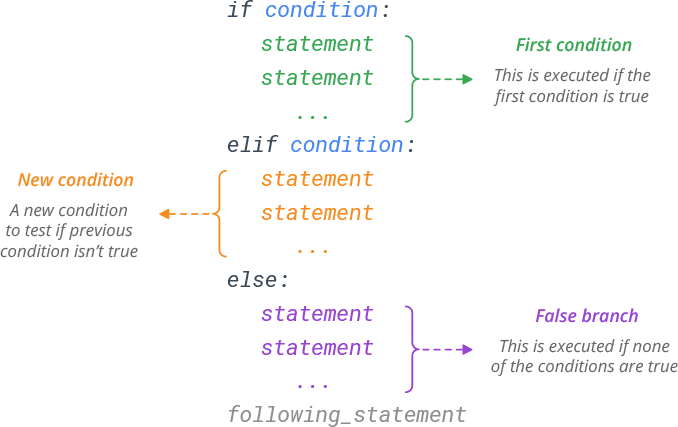
elif means "else if" in Python. It lets us check multiple conditions and run different blocks of code depending on which condition is true. Using elif makes our code cleaner and easier to read, and it saves us from writing too many nested if statements.
syntax of elif statements
🔹lets take one example to understand it properly: print grade of students according to their marks.

Nested if else statements
🔹lets take one example to understand it properly: check and print the number is divisible by 2 then check and print this no is also divisible by 3.


step-1 : start.
step-2 : take input (assume the no is 12.).
step-3 : check a%2==0 (reminder of a/2==0) if condition is true go to step-4 other wise go to step- 8 . since a = 12 in this case step-4 is execute.
step-4 : print the no is divisible by 2.
step-5 : check the no is divisible by 3 if condition is true go to step-6 other wise go to step-7 . since a = 12 in this case step-6 is execute.
step-6 : print the no is divisible by 3 and go to step-9.
step-7 : print the no is only divisible by 2 and go to step9-.
step-8 : print the no is not divisible by 2 and 3.
step-9 : execution is completed.
shorthand methods
1. Short-hand if statement
If you have only one statement to execute when a condition is true, you can write it on the same line as the if statement.
age = 20
if age > 18: print("Eligible to vote") # Output: Eligible to vote
2. Short-hand if...else statement (Ternary operator)
This allows you to write an if-else statement in a single line. It is useful when assigning a value to a variable based on a condition.
age = 16
status = "Eligible" if age >= 18 else "Not eligible"
print(status) # Output: Not eligible
#chaicode

